



Microsoft 365 Copilot Essentials
Tips, Tricks & Safe Usage
Learn how to use Microsoft 365 Copilot efficiently, safely, and productively in your daily work.
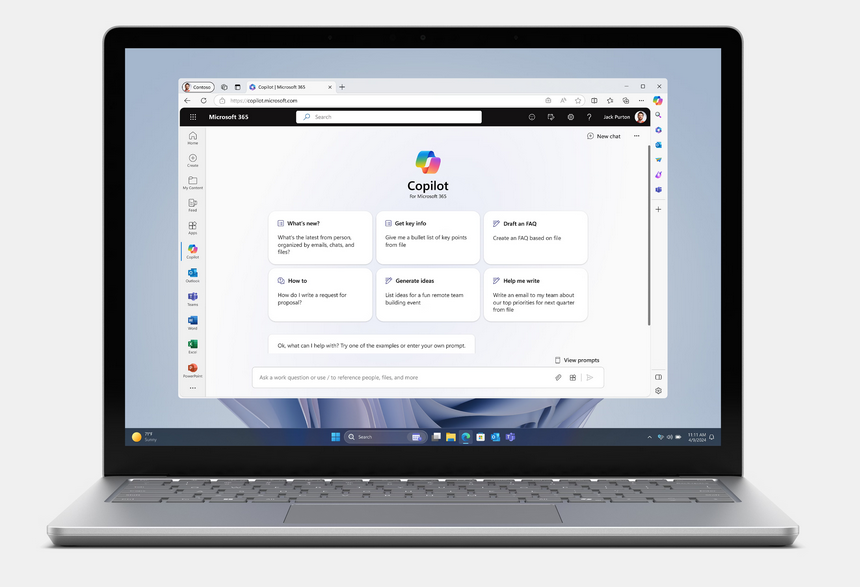
In this hands-on half-day course, you will discover how Copilot supports you in Word, Excel, Outlook, PowerPoint, and Teams. You will learn practical tips and best practices, understand key security and compliance requirements, and apply Copilot directly to real-world scenarios.
What you will learn
- Use the most important Microsoft 365 Copilot features safely and confidently
- Write effective prompts and avoid common mistakes
- Create documents, emails, analyses, and presentations faster with Copilot
- Understand and apply key data protection concepts (GDPR / EU AI Act)
- Use Copilot for meeting summaries, follow-ups, text drafting, and more
- Get a first look at Copilot Agents (without technical deep dive)
Course Content
In this training you’ll cover:
1. Introduction to Microsoft 365 Copilot
- How Copilot works (incl. data flows & security)
- Copilot 365 vs. Copilot Chat
- Core principles of privacy, compliance & governance
2. Prompting & Best Practices
- Dos & don’ts for effective prompts
- Examples and short exercises
- How to improve Copilot’s output quality
3. Copilot in the Office Apps
- Word: Summaries, text drafts, rewriting
- Outlook: Email improvements, prioritisation, follow-ups
- PowerPoint: Presentation creation
- Excel: Data analysis & chart generation
- Teams: Meeting notes and tasks
4. Mini-Module: Introduction to Copilot Agents
- What is an Agent?
- How Agents work in Copilot Pro
- Example: Meeting Preparation Agent
5. Q&A & Exchange
- Real examples from your organisation
- Recommendations for rollout and next steps
+ Access to Our Community with daily free learning assets
+ Materials from All Learning Modules and Additional Support Links
+ Certified Microsoft 365 Copilot Practitioner
+ Prompt Frameworks and Canvas
Why Companies Choose This Course
Instant impact
Productivity Boost
Participants learn practical Copilot skills that immediately improve daily work — from faster emails to automated reports.
Process-Oriented
Workflow-Driven
Companies benefit from repeatable Copilot patterns that streamline processes across teams — compliant, scalable and aligned with business goals.
Future Skills
AI-Ready Workforce
Employees build the competencies needed to safely and effectively use AI tools, strengthening organisational readiness for AI transformation.
Our Trusted Customers and Partners




Target Audience
Employees, team members, project managers, HR, marketing, sales, admin teams — anyone who wants to use Copilot productively in daily work.
Prerequisites
Microsoft 365 Copilot licence (Pro or Enterprise)
Basic knowledge of Word, Excel, Outlook and Teams
Learning Goals
- Use Microsoft 365 Copilot effectively and safely across core Office applications.
- Write high-quality prompts and achieve consistent, reliable results.
- Apply and optimise Agents in Copilot Pro to support recurring tasks.
- Automate everyday workflows such as reporting, follow-ups and meeting preparation.
- Understand and apply essential
privacy & governance principles (GDPR / EU AI Act).
Benefits
- Immediate productivity gains in daily work.
- Reduced manual workload through Copilot-supported processes.
- Higher quality output thanks to structured prompts and repeatable workflows.
- Safe and compliant AI usage across the organisation.
- Future-ready digital skills for an AI-enabled workplace.
Certificate
After completing the course, you will receive a Certificate: "Certified Microsoft 365 Copilot Practitioner".
Trainer

Julia Herz
- COO & Head of AI Academy
- Leadership & Strategy Expert
- MSc in Business Intelligence
This course is suitable for companies that want to ensure they are getting the most out of Microsoft 365 Copilot.
This course, in combination with our
ChatGPT Basic Training, enables companies to fulfil the essential training requirements
for employees stipulated by the
EU AI Act
for the use of AI systems.
Do we need Copilot 365 or is Copilot Chat enough?
Copilot 365 is recommended because this course covers Microsoft 365 Copilot functionalities for Outlook, Word and SharePoint functionalities.
Will we use company data?
Only if desired. We can use demo data or real data.
Is this course suitable for beginners?
Yes. We start with the basics and guide participants step by step.